OnAirMic app iconOnAirMic app icon

On air

Your Mac, on air.

OnAirMic turns your Mac into a small radio station. Build shows from music, jingles and voice scripts, put them on a schedule, and they go out live through a microphone any app can pick.

FreemacOS 26 or laterApple silicon & Intel

How it works

From your library to every app that listens.

Four steps, and then the station runs itself.

  1. 01

    Library

    Bring in music and audio clips such as jingles, idents and sweepers. Write voice scripts for the links.

  2. 02

    Program

    Arrange items into a running order. Drop in a whole playlist or folder and shuffle it each time it airs.

  3. 03

    Schedule

    Air it once, or every week on the days you choose. It starts on time and ends exactly when its slot does.

  4. 04

    On air

    The show plays into the OnAirMic microphone. Any app set to OnAirMic hears it, live.

Programs

Build a show, not just a playlist.

A program is a running order of music, audio clips and voice scripts. Type a script, choose a macOS voice and speaking rate, and OnAirMic renders it on your Mac, ready to air between the songs.

  • Music, jingles, idents and sweepers in the order you set
  • AI voice scripts rendered from text with macOS voices
  • Live playlist and folder blocks with an optional shuffle on every airing
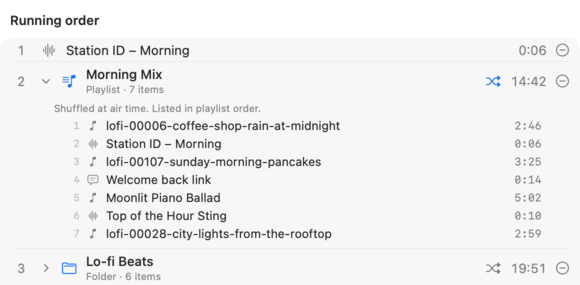
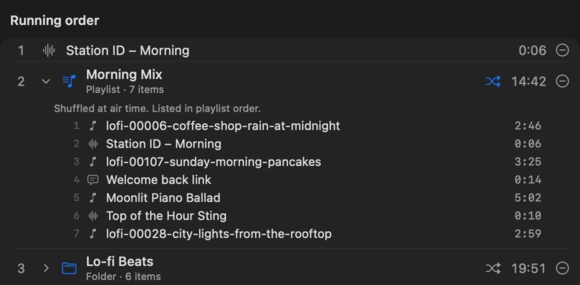
A program's running order: the Station ID – Morning clip, then the Morning Mix playlist shuffled at air time with its seven items listed, then the Lo-fi Beats folder, also shuffled. A program's running order: the Station ID – Morning clip, then the Morning Mix playlist shuffled at air time with its seven items listed, then the Lo-fi Beats folder, also shuffled.

Library

Every sound, right where you left it.

Organise your station with nested folders and playlists. Import a single file or a whole folder at once, and every item is filed as Music, Audio or Voice script. Adding to a program is a pick-and-tick away.

  • Nested folders for jingles, idents, archives and more
  • Playlists to reuse in any program
  • Import Folder to bring in a whole collection in one go
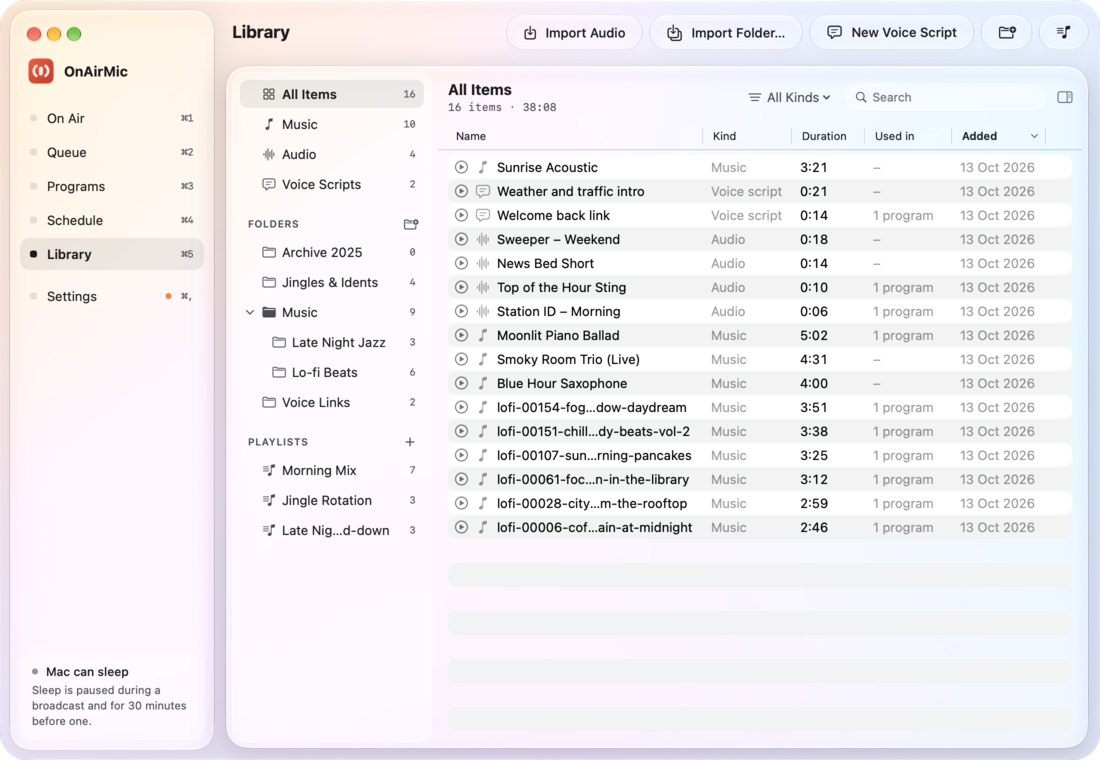
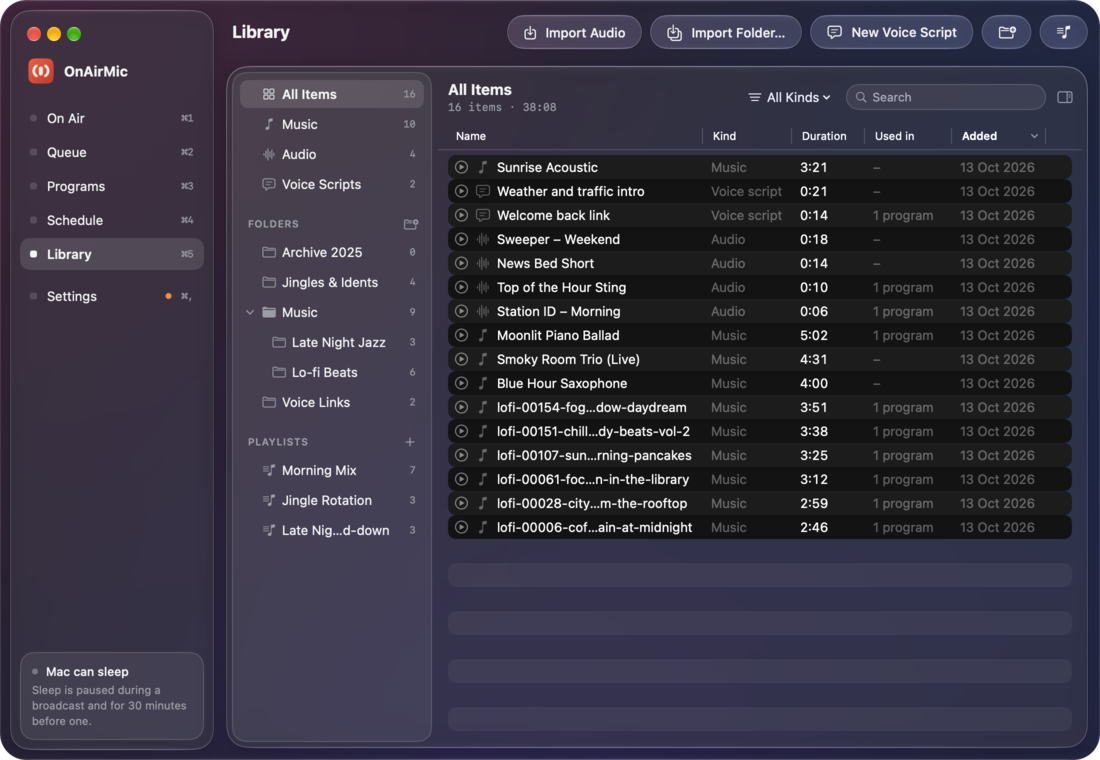
The Library page: All Items, Music, Audio and Voice Scripts; folders including Jingles & Idents and a nested Music folder with Late Night Jazz and Lo-fi Beats; playlists such as Morning Mix; and a list of sixteen items with durations. The Library page: All Items, Music, Audio and Voice Scripts; folders including Jingles & Idents and a nested Music folder with Late Night Jazz and Lo-fi Beats; playlists such as Morning Mix; and a list of sixteen items with durations.
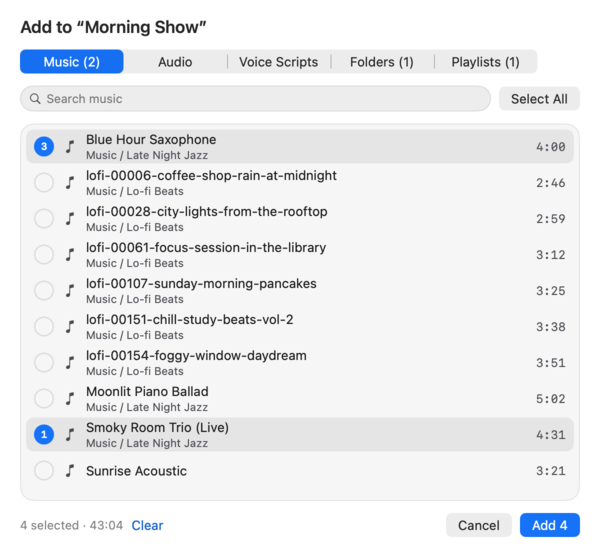
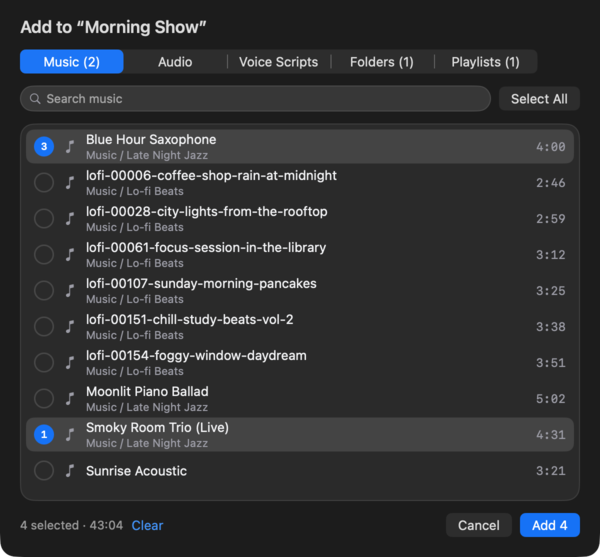
The Add Items picker for the Morning Show program, with music tracks from Late Night Jazz and Lo-fi Beats, four selected. The Add Items picker for the Morning Show program, with music tracks from Late Night Jazz and Lo-fi Beats, four selected.

Schedule

Runs to the clock, like real radio.

Schedule a program once, or weekly on the weekdays you pick. It goes on air by itself at its start time and is cut off exactly at the end of its slot, with a short fade.

  • Joins in progress if your Mac wakes or OnAirMic opens mid-show, you tune in where the show is, just like radio
  • One-off or weekly on chosen weekdays
  • Keeps your Mac awake near and during broadcasts
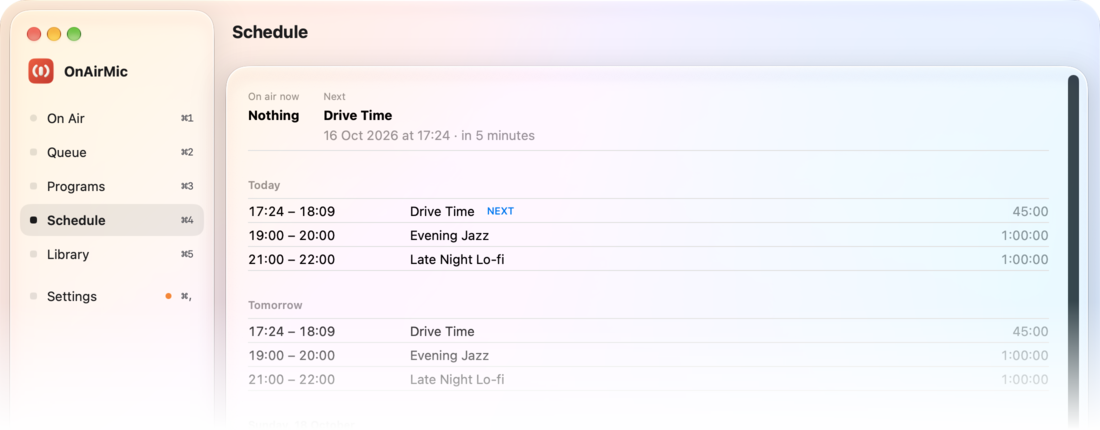
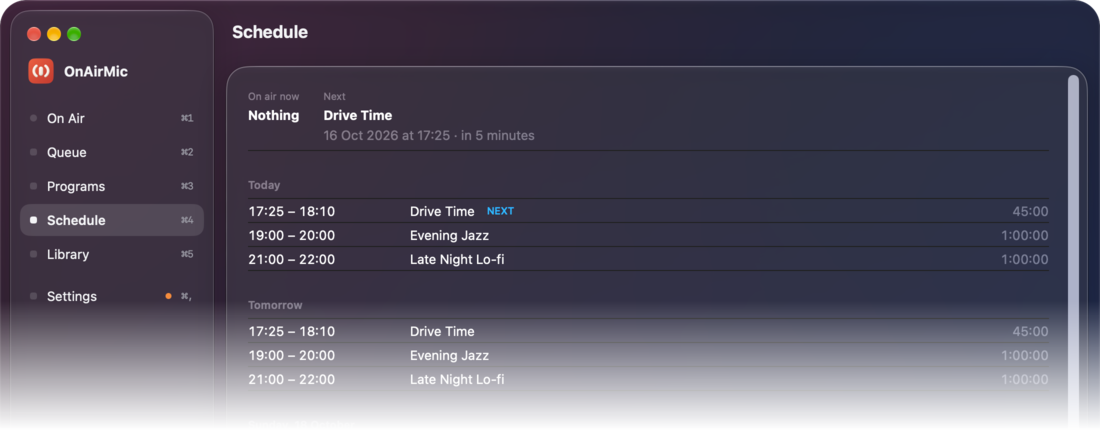
The Schedule page: next is Drive Time in 5 minutes; today, tomorrow and each following day list Drive Time, Evening Jazz and Late Night Lo-fi with their times. The Schedule page: next is Drive Time in 5 minutes; today, tomorrow and each following day list Drive Time, Evening Jazz and Late Night Lo-fi with their times.
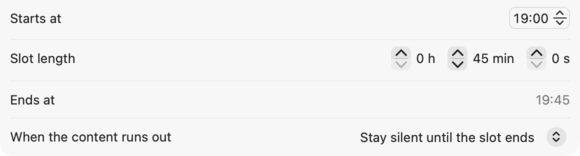
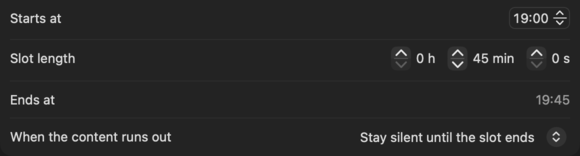
Slot settings in the program editor: starts at 19:00, slot length 45 minutes, ends at 19:45. Slot settings in the program editor: starts at 19:00, slot length 45 minutes, ends at 19:45.

On Air

Go live in one click.

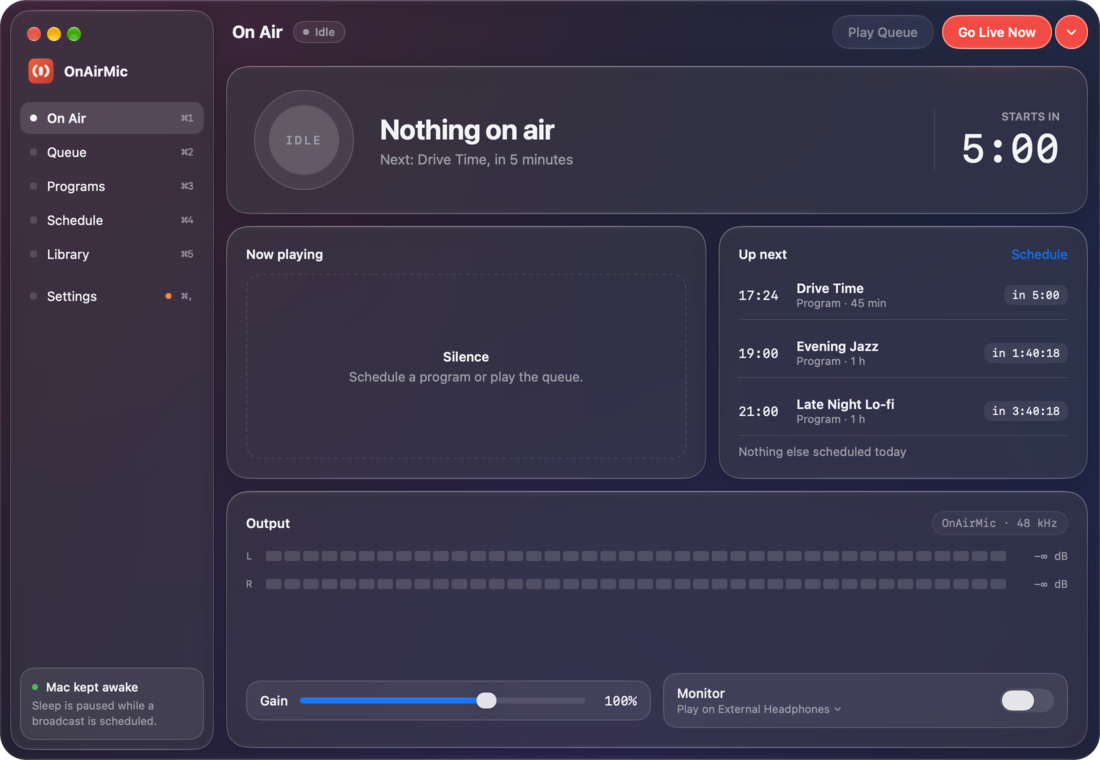
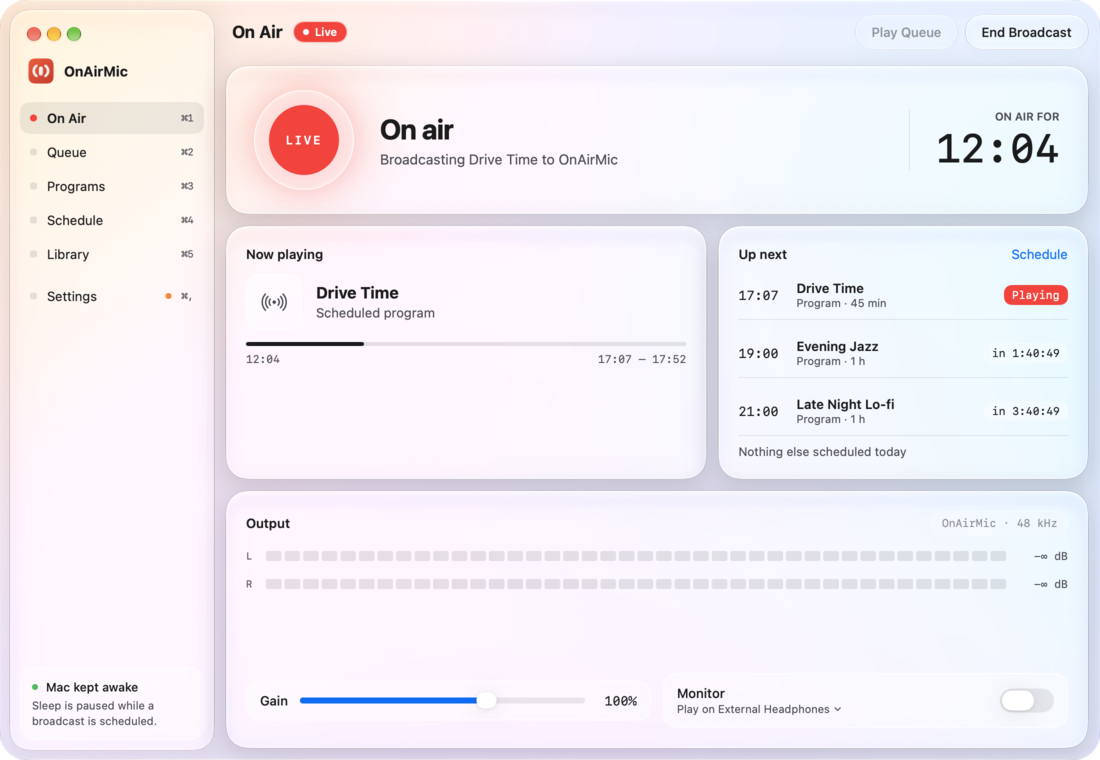
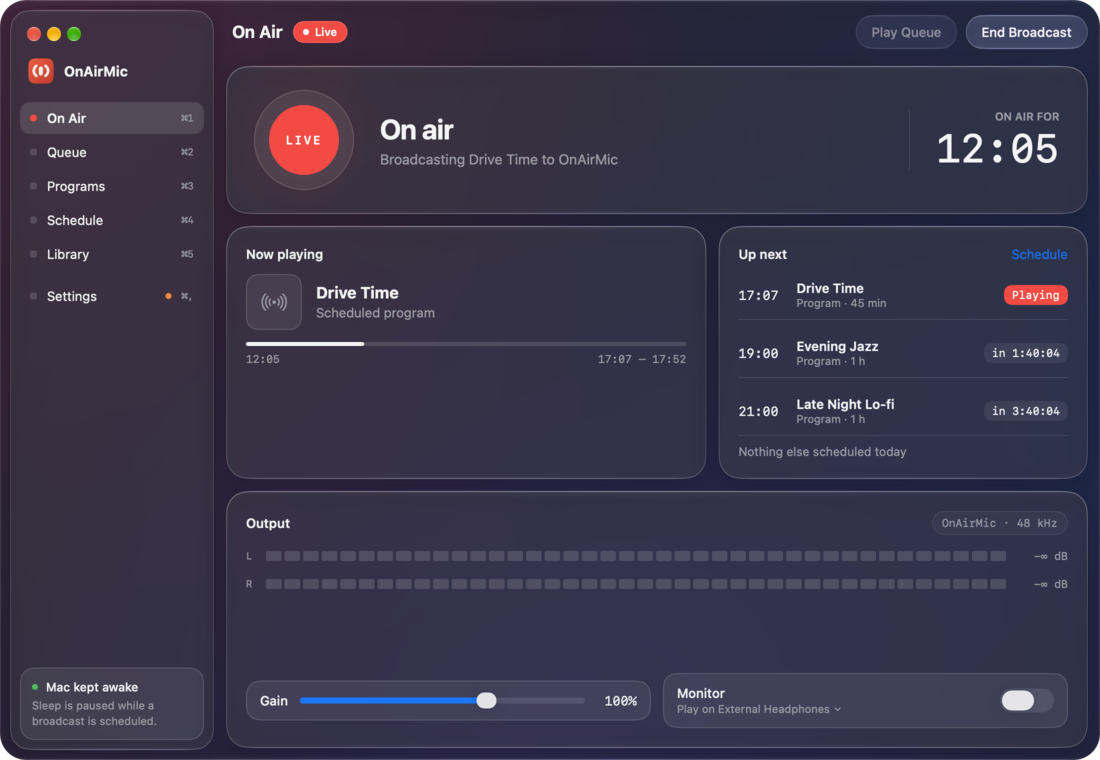
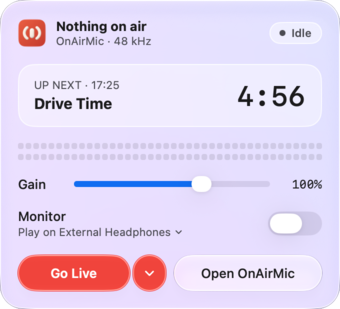
Air a program now, join a slot already in progress, or pick any program from the Go Live with… menu. Build an ad-hoc queue by hand, and End Broadcast when you're done.

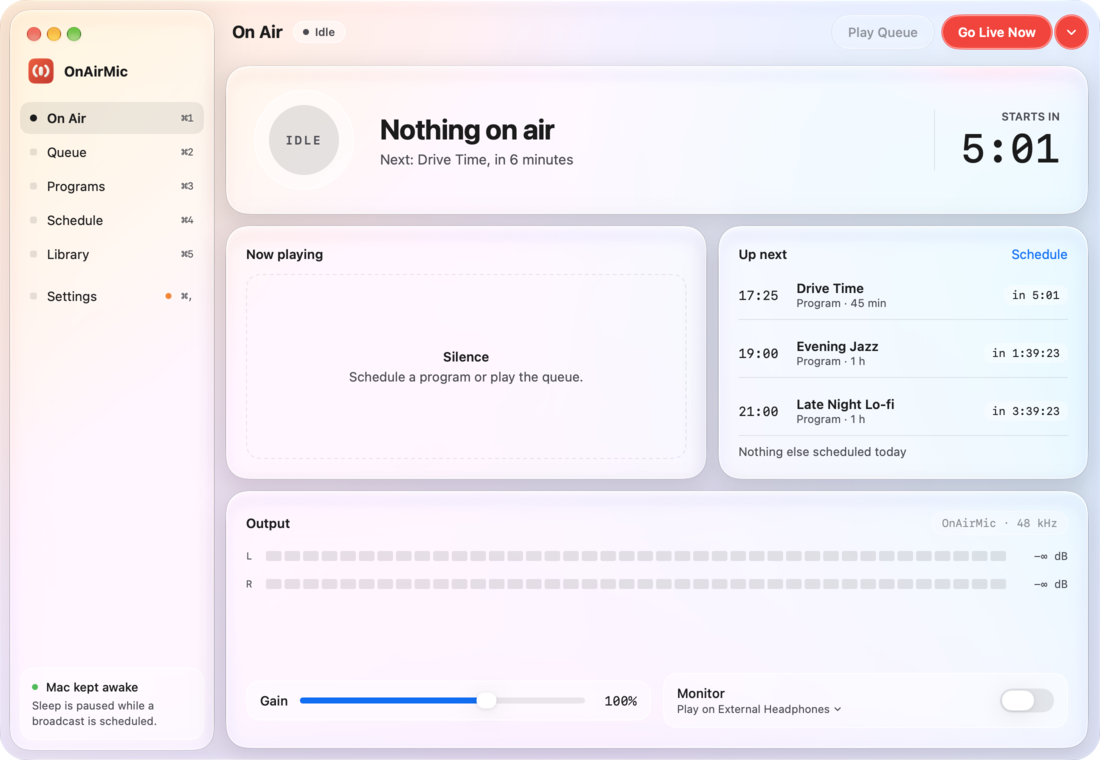
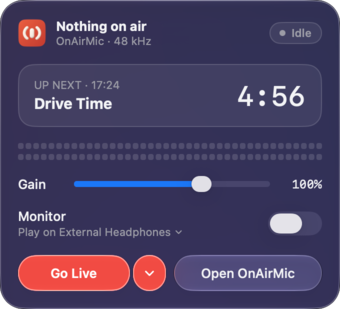
  • Live and idle beacon with a countdown to the next show
  • Now playing and up next at a glance
  • 40-segment stereo meters and gain from 0 to 150%
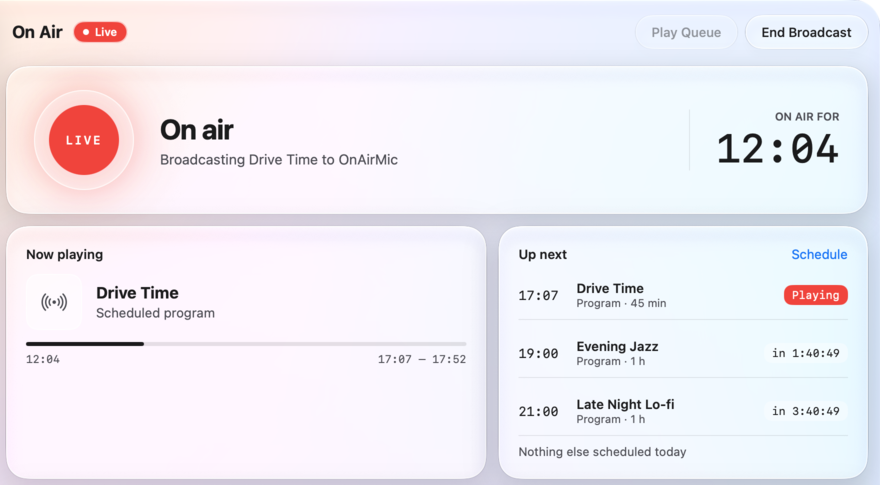
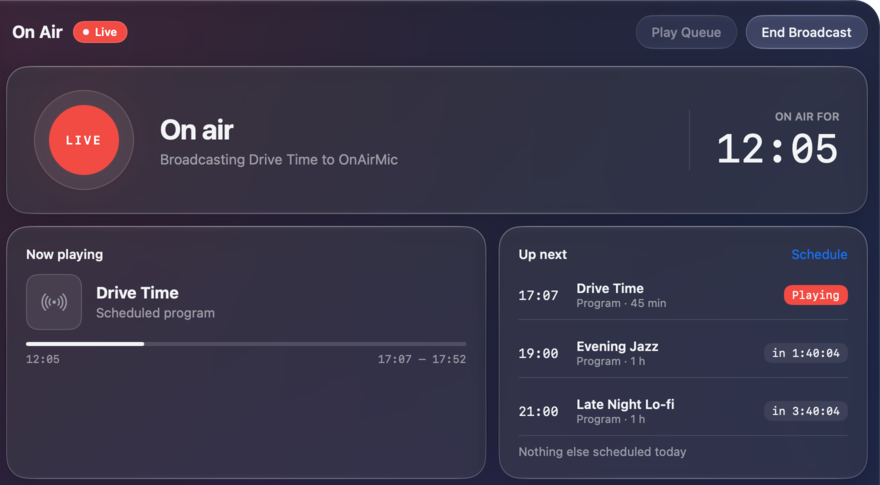
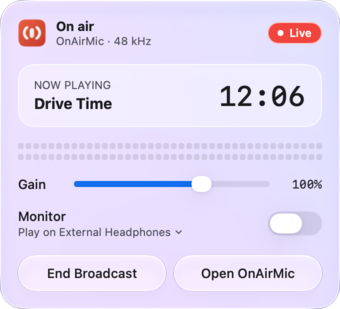
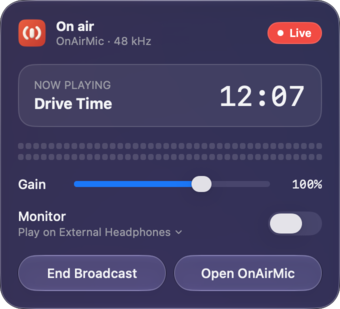
The On Air page while live: a red LIVE beacon, on air for 12:04 broadcasting Drive Time to OnAirMic, the program's progress, and up next with Drive Time marked Playing, then Evening Jazz and Late Night Lo-fi. The On Air page while live: a red LIVE beacon, on air for 12:04 broadcasting Drive Time to OnAirMic, the program's progress, and up next with Drive Time marked Playing, then Evening Jazz and Late Night Lo-fi.

Monitor

Hear exactly what goes out.

Monitor the broadcast on any speaker or headphones you choose. If that device disconnects, monitoring falls back to another output automatically.

  1. Pick any outputSpeakers or headphones
  2. It disconnectsThe device goes away mid-show
  3. Monitoring falls backAutomatically, so you keep listening
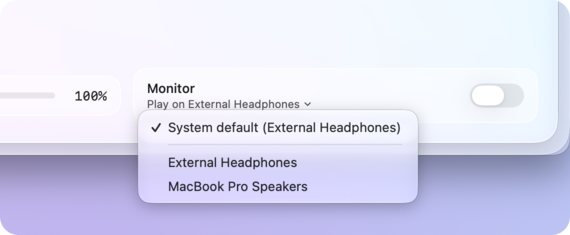
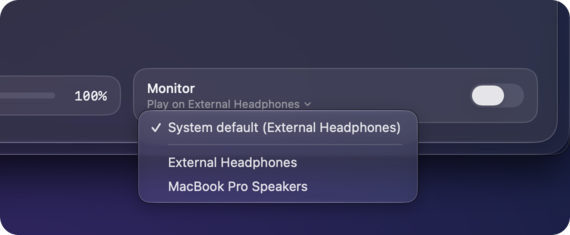
The Monitor tile on the On Air page with its device menu open: System default (External Headphones) checked, then External Headphones and MacBook Pro Speakers. The Monitor tile on the On Air page with its device menu open: System default (External Headphones) checked, then External Headphones and MacBook Pro Speakers.

Keeps the Mac awake

Sleep is held off near and during broadcasts, so shows go out on time.

Native Liquid Glass

Designed for macOS 26, in light and dark.

Automatic updates

New versions arrive through Sparkle, the standard Mac updater.

Signed and notarized

Signed with Developer ID and notarized by Apple.

No accounts, no analytics

Your library and programs stay on your Mac. Privacy

Works with

If it has a mic picker, it can hear OnAirMic.

OnAirMic adds a virtual microphone called OnAirMic to your Mac. Choose it as the microphone in browsers, video calls, streaming software, or any other app that lets you pick one, and your broadcast comes through.

  • Browsers
  • Video calls
  • Streaming software

Tip: some web apps apply automatic gain control to microphones, which can undo OnAirMic's gain. Turn off auto-gain, or "auto-adjust microphone volume", in that app's settings.

Requirements

What you need.

  • System

    macOS 26 or later

    A universal app that runs natively on Apple silicon and Intel Macs.

  • Virtual microphone

    One-time install

    Installing the OnAirMic microphone asks for an administrator password. Installing or updating the driver briefly restarts Core Audio.

  • Trust

    Signed and notarized

    Developer ID: XPLOREDATUM TECHNOLOGIES LLP, notarized by Apple.

  • Version

    1.0.0 · Free

    Updates install automatically. Release notes

FAQ

Questions, answered.

Is it free?

Yes.

How do other apps hear my broadcast?

OnAirMic's output is a virtual microphone named OnAirMic. In any app with a microphone setting, such as a browser, a video call or streaming software, choose OnAirMic as the microphone. Whatever is on air is what that app hears.

Why does the volume change in some web apps?

Some web apps apply automatic gain control to microphones, which can undo OnAirMic's gain. Turn off auto-gain, or "auto-adjust microphone volume", in that app's settings.

Will a scheduled program air if OnAirMic isn't open?

Scheduled programs only air while OnAirMic is running, so turn on Launch at Login. Closing the window is fine: the station keeps running in the menu bar.

What if my Mac is asleep when a show is due?

A sleeping Mac, or one with its lid closed, can't wake up for a show. OnAirMic keeps the Mac awake near and during broadcasts while it's running.

If the Mac wakes, or OnAirMic opens, partway through a slot, the program joins in progress, like tuning in to a radio station.

Does a program run over its slot?

No. A scheduled program is cut off exactly at the end of its slot, with a short fade.

How are voice scripts made?

You write the text, and OnAirMic renders it on your Mac with a macOS voice, using the voice and speaking rate you choose. Nothing is sent to a server.

Why does it ask for an administrator password?

The OnAirMic virtual microphone is an audio driver, and installing it is a one-time step that needs an administrator password. Installing or updating the driver briefly restarts Core Audio, so other audio on your Mac may pause for a moment.

Does OnAirMic collect any data?

No. There are no accounts and no analytics, and your library and programs stay on your Mac. The only network activity is checking for updates, and downloading one when it's available. Read the privacy policy.

Which Macs does it run on?

Any Mac running macOS 26 or later. OnAirMic is a universal app for Apple silicon and Intel.

Your station is ready when you are.

Download OnAirMic, schedule your first show, and pick OnAirMic as the mic.

FreemacOS 26 or laterApple silicon & Intel